Studio-quality product and brand images, without the studio
Product photography, model try-ons, headshots and thumbnails in one place. Browse every tool and what it does before you sign in.


Drag to compare two template looks
All tools
Everything in one catalog
Choose a focused workspace for generation, commerce, content, or image preparation.
4 tools
Image Generation
Create new visuals, portraits, and identity-led scenes.
Prompted Image Studio
Turn a detailed direction and visual reference into a new campaign image.
Open tool →Professional Headshots
Transform a clear identity photo into a polished professional portrait.
Open tool →AI Clone & Template
Reuse a private identity model across new templates while keeping the person recognizable.
Open tool →Creative Canvas
Turn a rough visual composition into a polished image with bounded direction.
Open tool →4 tools
Product Commerce
Build product, clothing, and store-ready campaign photography.
Product Image Generator
Place a product into a model or commercial scene template with realistic light and contact.
Open tool →AI Clothes Changer
Preview an uploaded clothing product on an uploaded model without arranging a shoot.
Open tool →eCommerce Studio
Turn a clean product photo into polished e-commerce photography with a selected model and pose.
Open tool →Template Builder
Create a private reusable base image and protected workflow for your account.
Open tool →3 tools
YouTube & Content
Produce thumbnails, drafts, and publish-ready social graphics.
YouTube Thumbnail Generator
Build a subject-led thumbnail from a title, topic, and visual direction.
Open tool →Draw to Thumbnails
Sketch a 16:9 composition with drawing, image, and headline tools.
Open tool →News Photocard Maker
Compose a branded news card with image, headline, label, date, and site.
Open tool →7 tools
Editing Utilities
Prepare, resize, clean, and brand images locally in your browser.
Empty Image Generator
Create a transparent or solid image at a preset or custom size.
Open tool →Image Cropper
Crop, rotate, zoom, and export an image without uploading it to the server.
Open tool →Bulk Watermark Adder
Apply one text watermark to multiple images with consistent placement.
Open tool →Image Upscaler
Increase pixel dimensions locally for larger exports and layout work.
Open tool →Gemini Watermark Remover
Remove visible Gemini watermarks from images in your browser without spending credits.
Open tool →Gemini Video Watermark Remover
Remove visible Gemini watermarks from videos without spending credits, entirely in your browser.
Open tool →Background Remover
Remove a flat background by sampling its color.
Open tool →How it works
Three steps, no photographer
Pick the tool that matches the job, give it your image and a short direction, and download the result. Your inputs stay private to your account.
Pick a tool
18 of them, from product photography to headshots and thumbnails.
Give it your input
A product shot, a photo of a face, a rough sketch — or just a written brief, for the tools that need no image at all.
Download
Full resolution, yours to use commercially. Each tool changes only what it is meant to and leaves the rest of your image alone.
Templates
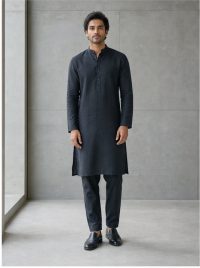
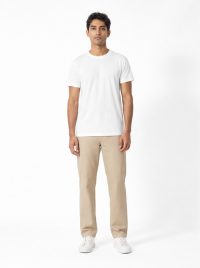
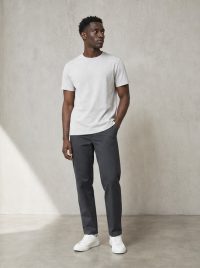
Pick your model
More templates are added regularly, so there is always a fresh look for your next listing.







Who it is for
Built for the work you are actually doing
Turn one clean product shot into listing images sized for every marketplace, without booking a studio.
Clothing brandsPut a garment on a model and get a consistent look across a whole range from flat-lay photography.
Content creatorsBuild a thumbnail that reads at small sizes, with the headline and framing set before you generate.
Job seekers and teamsTurn one clear phone photo into a portrait you can put on a profile, and match it across a whole team.
Transparent pricing
No plans, no monthly fee
Buy credits once and use them whenever. Every quality level costs a fixed number of credits.
5 credits
per photo
Quick drafts and trying out a product
- Fast first pass
- Cheap to iterate on a look
10 credits
per photo
Marketplace listings and social posts
- Best balance of cost and quality
- The default quality level
15 credits
per photo
Web store hero images
- Crisp, detail-friendly output
- Great for large placements
20 credits
per photo
Print and fine label detail
- Print-ready resolution
- Keeps small text sharp
100 free credits at signup — no card required, and credits never expire.
See full pricingFAQ
Common questions
Do my credits expire?
No. Credits have unlimited validity, so you can buy once and use them whenever you need them.
What do I get for free?
100 free credits at signup, with no card required. You can also receive bonus credits through an eligible invitation link.
Can I upload my own model photo?
Yes. Product Image Generator takes your own model or scene photo alongside the product, and AI Clothes Changer lets you supply your own model instead of a template.
Do I need an account to use the tools?
You can browse every tool and review its workflow before signing in. An account is required to run a tool and manage credits, results, and downloads.
What does one image cost?
From 5 credits at the lowest quality up to fifteen at the highest. The exact cost is shown on the tool before you generate.
What if a generation fails?
Your credits are refunded automatically, and the refund is recorded in your credit history.
Which tools run without uploading anything?
The cropper, upscaler, background remover, watermark tool, thumbnail sketchpad, photocard maker and blank-canvas generator all run inside your browser. Nothing is sent to our servers.
Can I use the images commercially?
Yes. Images you generate are yours to use, including in listings, adverts and printed material.
Your first photos are on us
100 free credits. No card, no subscription.
Sign up free